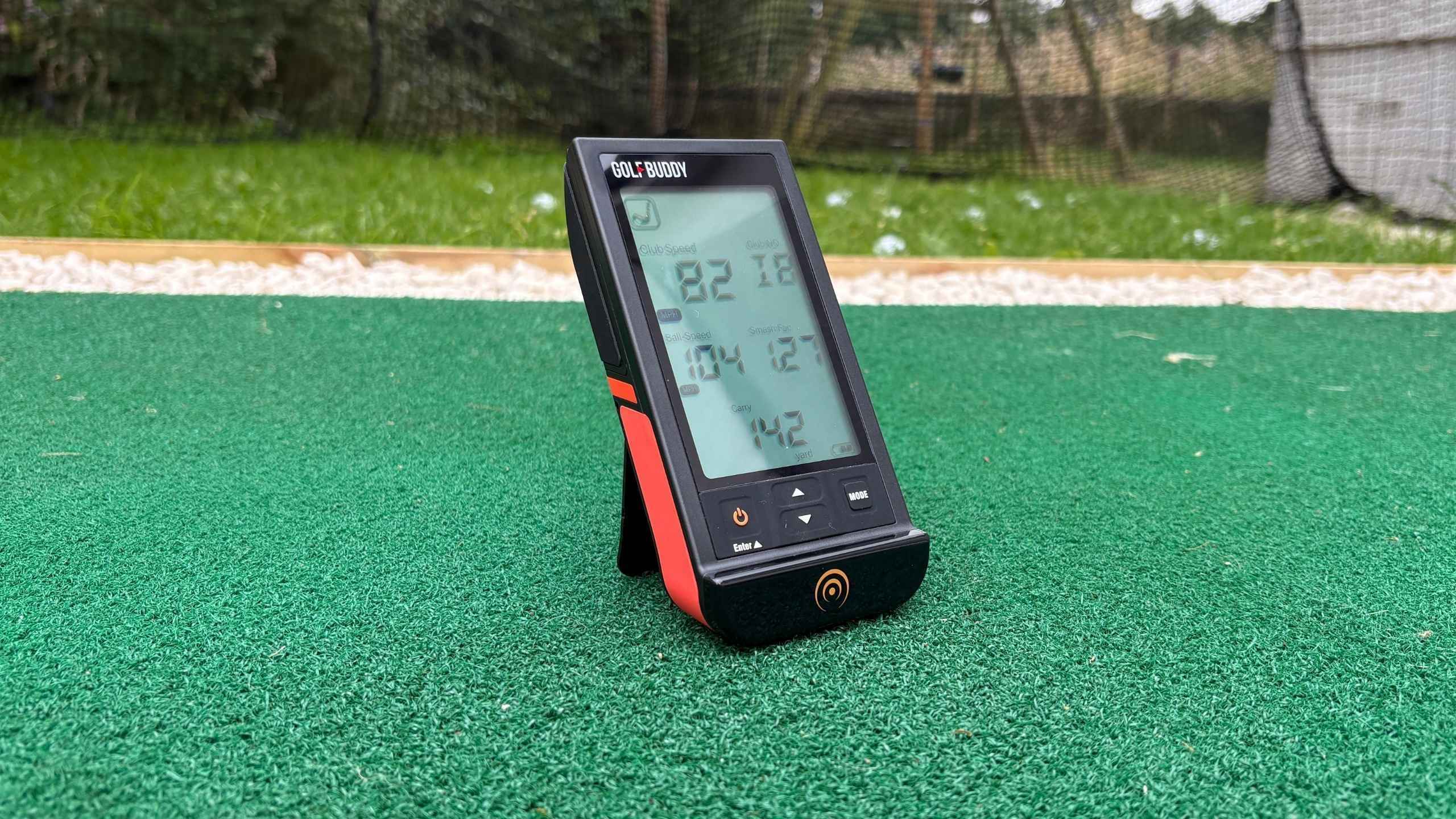
Quick Review: GolfBuddy Shot Mate launch monitor
Ideal for golfers wanting an affordable, standalone launch monitor for instant carry distance and ball speed data without needing mobile apps or monthly subscriptions. Testing showed exceptional tracking accuracy against premium hardware, though rollout estimates for total distance can be overly generous.
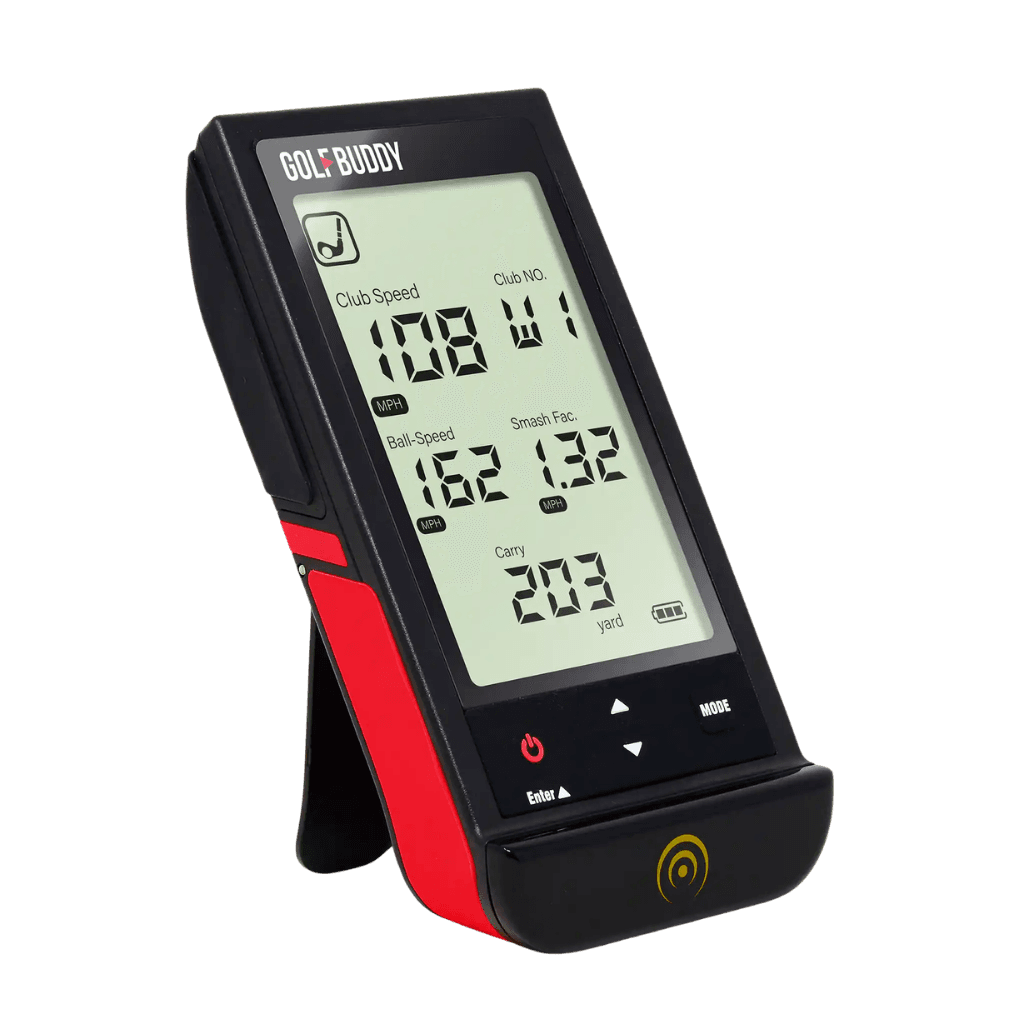
- Highly accurate carry distance and ball speed benchmarked against premium devices
- Standalone plug-and-play design with no apps, Wi-Fi, or subscriptions required
- Compact, pocket-sized build with an integrated kickstand and tripod thread
- Dedicated practice swing mode to track speed without hitting a ball
- High-quality, durable feel with a clear backlit LCD screen
- Basic instruction manual requiring trial and error during initial setup
- Wildly overestimated total distance rollout figures on mid-irons and woods
- Reads clubhead speed slightly low on wedges and short irons
- Basic, cheap-looking product packaging
Use my exclusive SimSpace Golf discount code ANDYSGOLFBLOG at checkout to save an extra 5% on your order.
Whenever I talk to golfers about launch monitors, high prices always come up. While top models like the FlightScope Mevo Gen 2, Bushnell Launch Pro, Garmin Approach R50, FullSwing Kit, and Foresight GC3 can be too expensive for many, there’s good news. More golf brands now offer affordable portable launch monitors that are getting plenty of attention in the world of golf. The GolfBuddy Shot Mate is one of these affordable options.
In this review, I’ll share my honest experience after using it several times and compare its numbers to my £1,200 FlightScope Mevo Gen 2. At just £149.99 (even cheaper with my discount code below), it’s a direct competitor to the popular Shot Scope LM1, which currently retails at £199.99. If you want to see how the LM1 performed during my testing, you can read my full Shot Scope LM1 review after this one.
If you like the sound of the Shot Mate and decide to buy one after reading this review, feel free to use my discount code ANDYSGOLFBLOG to save 5% on the SimSpace Golf website.
Use promo code ANDYSGOLFBLOG at checkout to get 5% off the GolfBuddy Shot Mate or your order on the official SimSpace Golf store.
With this affiliate link, I may earn a small commission on qualifying purchases at no extra cost to you.
Key features and how it works
The GolfBuddy Shot Mate is a standalone, plug-and-play launch monitor that requires no mobile apps, Wi-Fi connectivity, or ongoing monthly subscriptions. It uses a similar 24GHz K-band Doppler radar sensor to the Shot Scope LM1, allowing it to track the ball’s flight, with data displayed almost instantly on the built-in backlit LCD screen.
The Shot Mate has two main modes: Standard Golf Mode for capturing ball data including carry and total distances, and Practice Swing Mode for capturing swing speed. Swing Mode works without needing to hit golf balls, so it’s perfect for golfers looking to work with swing speed sticks to develop a faster golf swing.
Technical specifications
- Technology: 24GHz K-band Doppler radar sensor
- Core metrics: Club speed, ball speed, smash factor, and carry or total distance
- Display: Custom segment LCD with backlight
- Power & battery: Built-in rechargeable lithium battery via USB-C charging
- Memory capacity: Internal history log to store up to 500 shots
- Setup positioning: Recommended 1.0 to 1.5 metres directly behind the ball
- Mounting options: Integrated 30° kickstand with a bottom 1/4" threaded tripod mount
Unboxing and build quality impressions
The packaging was basic and lacked the premium look I usually see from top golf brands. However, my worries disappeared as soon as I opened the box and saw the product for the first time.
The Shot Mate looks and feels like a quality launch monitor. It’s solid, well-built, and comfortable to hold. In fact, it’s as well made as many pricier golf products I’ve tested. Size-wise, it’s about the same as my iPhone 16, just a bit thicker. At 131g, it’s light and compact, so it fits easily in your pocket or golf bag.
While I was impressed by the device, the packaging and instruction manual didn’t impress me as much. The manual is a quick-start guide covering only the basics, so I had to figure out a lot by trial and error. It reminded me of Ikea instructions with a few more words – very basic indeed. A full user manual would have been better, but after a few uses, I managed to figure it out and navigating became second nature.
How to set up and position for net practice
Since I do most of my golf practice in my back garden net, I thought it was the perfect spot to test the Shot Mate.
One thing golfers will appreciate is how quick and easy it is to set up and use. Flick out the built-in kickstand, position the device 1.2 to 1.4 meters behind the ball, switch it on, and you’re ready to go.
For improved tracking, the instructions suggest raising the device 25mm above the bottom of the golf ball. If you’re hitting off a mat, you may need to position the Shot Mate on a raised platform behind the ball.
Rather helpfully, the Shot Mate includes a standard 1/4-inch tripod screw thread on the bottom. If you’re at a driving range with raised bays or uneven turf, you can use this to attach it to a small camera tripod to get the right height. I use a small Gorilla Tripod for this, which works great for both the launch monitor and for holding my phone to record my swing on the golf course.
Although the instructions suggest raising the device by 25 mm, I didn’t notice any tracking problems when I tested it with mine level with the hitting surface, but that’s not to say you shouldn’t follow the manufacturer’s advice.
Accuracy test: Benchmarked against FlightScope Mevo Gen 2
To test how accurately the Shot Mate tracks shots into a garden net, I hit 5 shots each with 11 different clubs, ranging from a 60-degree wedge to my driver. For each shot, I used Titleist Pro V1 golf balls and captured data (club speed, ball speed, smash factor, carry, and total distances) at the same time on both the GolfBuddy Shot Mate and my FlightScope Mevo Gen 2 for benchmarking. After recording all the data for each shot, I calculated the averages and differences between the two devices. You can see the full data table below (club category analysis in the following section).
| Club | Club Speed (mph) | Ball Speed (mph) | Smash Factor | Carry (yd) | Total (yd) | ||||||||||
|---|---|---|---|---|---|---|---|---|---|---|---|---|---|---|---|
| Mevo | Shot Mate | Diff | Mevo | Shot Mate | Diff | Mevo | Shot Mate | Diff | Mevo | Shot Mate | Diff | Mevo | Shot Mate | Diff | |
| 60° | 74 | 71 | -3 | 67 | 66 | -1 | 0.91 | 0.93 | +0.02 | 74 | 75 | +1 | 73 | 75 | +2 |
| 56° | 76 | 72 | -4 | 75 | 74 | -1 | 0.99 | 1.03 | +0.04 | 84 | 87 | +3 | 85 | 87 | +2 |
| 50° | 78 | 74 | -4 | 84 | 82 | -2 | 1.07 | 1.12 | +0.05 | 102 | 101 | -1 | 102 | 102 | 0 |
| PW | 82 | 81 | -1 | 93 | 91 | -2 | 1.13 | 1.14 | +0.01 | 116 | 118 | +2 | 116 | 119 | +3 |
| 9i | 83 | 77 | -6 | 98 | 98 | 0 | 1.19 | 1.27 | +0.08 | 127 | 131 | +4 | 127 | 132 | +5 |
| 8i | 84 | 80 | -4 | 102 | 101 | -1 | 1.21 | 1.27 | +0.06 | 135 | 136 | +1 | 135 | 142 | +7 |
| 7i | 86 | 83 | -3 | 112 | 111 | -1 | 1.30 | 1.34 | +0.04 | 156 | 159 | +3 | 156 | 164 | +8 |
| 6i | 87 | 85 | -2 | 112 | 112 | 0 | 1.29 | 1.32 | +0.03 | 157 | 162 | +5 | 157 | 169 | +12 |
| 4H | 91 | 89 | -2 | 129 | 131 | +2 | 1.42 | 1.47 | +0.05 | 196 | 205 | +9 | 199 | 216 | +17 |
| 3W | 96 | 96 | 0 | 135 | 135 | 0 | 1.40 | 1.40 | 0.00 | 213 | 213 | 0 | 217 | 231 | +14 |
| Driver | 99 | 98 | -1 | 139 | 140 | +1 | 1.41 | 1.43 | +0.02 | 228 | 230 | +2 | 231 | 248 | +17 |
Category performance breakdown
As you can see in the table above, I collected a large amount of data during my testing session. How did the £150 GolfBuddy Shot Mate compare with my £1,200 FlightScope Mevo Gen 2 in specific club categories? Let’s take a closer look.
Wedge testing and short-game accuracy
While testing the wedges, I was impressed by how well the Shot Mate tracked ball speed and carry distance. Ball speed was always within 1 or 2 mph of the Mevo Gen 2, and carry distance was generally spot on – never more than a yard short or three yards long. It did tend to read club head speed a bit low, however, usually off by 1 to 4 mph on the wedges. This led to smash factor readings that looked a little higher than they really were (by about +0.01 to +0.05). For total distance, there was hardly any difference between the Shot Mate and the Mevo Gen 2, at most, just a 3-yard gap.
Mid and long iron performance
Once I started hitting my mid and long irons, the ball speed numbers were still really close to the Gen 2. The Shot Mate matched the Mevo exactly with the 9-iron (98 mph) and 6-iron (112 mph), and was never off by more than 1 mph on the 7- and 8-irons, which is very impressive. Carry distance was also really consistent, always within 1 to 5 yards of what the Mevo showed, again, really impressive for a budget device. The only real difference was once again with the club speed. The Shot Mate tended to read 2 to 6 mph lower, especially with the 9-iron, where it was 6 mph under. That made the smash factor look a bit higher than it really was, by about +0.03 to +0.08.
This is also where I started to notice the total distance numbers drifting apart. As the irons got longer and loft dropped, the Shot Mate’s idea of rollout got a bit wild, overestimating total distance by 5 yards on the 9-iron, and as much as 12 yards with the 6-iron. Given total distance is calculated and depends on the loft they’ve assigned to the club and the tracking, I don’t really tend to worry about total distances. Also, personally, I think carry numbers are so much more important to focus on.
Driver, fairway wood, and hybrid testing
With my hybrid, 3-wood, and driver, things got even better. The Shot Mate performed very well with club speed at higher swing speeds, matching the Mevo exactly at 96 mph with the 3-wood and missing by just 1 mph with the driver. Smash factor spot on too, with literally no difference with the 3-wood and only +0.02 off with the driver.
For ball speed and carry distance, the 3-wood numbers were an exact match for both ball speed (135 mph) and carry (213 yards), and the driver was only 2 yards off (228 yards vs 230 yards). Again, for a budget launch monitor, this level of performance is exceptional.
The only real outlier was total distance. Here, the Shot Mate’s rollout numbers were overly inflated, adding 14 to 17 extra yards on the longer clubs, but this is common with cheaper launch monitors and really not a big issue as mentioned above.
Benchmark testing summary
From my 60° wedge to the driver, the Shot Mate’s ball speed and carry distance numbers were excellent. What surprised me most was how close it stayed to the £1,200 FlightScope Mevo Gen 2 on carry distance, which is the stat every golfer really should be focusing on with a launch monitor like this. If you’re worried about whether a budget Doppler radar can track balls into a net accurately, then I think my testing has proven that the Shot Mate is reliable and accurate. Even though the Mevo Gen 2 uses both a camera and radar, the Shot Mate kept up impressively well for carry numbers.
There were a couple of quirks, mostly with club head speed on slower wedge and iron swings, which it read a bit low, making the smash factor look a little higher than it really was. But once I got into hitting my fairway wood and driver, the club speed numbers lined up.
For me, any doubts I had about how well the Shot Mate would perform were put to bed by the end of my testing session.
Subscribe to My Mailing List
Stay up to date on my latest progress as I try to become a scratch golfer, and receive my latest blog posts, equipment reviews and exclusive deals/discount codes straight to your inbox by subscribing to my mailing list.
You’ll never be spammed and can unsubscribe anytime you like.
Practical takeaways, pros and cons
Observations from my testing sessions
After using the Shot Mate in several sessions, I noticed a few practical details that might help if you’re considering getting one.
First, since it’s a standalone device, you use physical buttons for everything. To change your active club, press the power button and use the up and down arrows. Unlike many other launch monitors, there’s no app or remote. The device stores up to 500 shots, but you can’t see session averages, timestamps, or trends, only the shot history for one club at a time. That feels like a missed opportunity. I’ve also not yet worked out how to manage the captured data, e.g. delete shots. I’m pretty sure you cannot do this, which seems strange, especially if you want to remove misshits.
You also need to select your club on the device for it to calculate distance, but GolfBuddy doesn’t share the loft profiles for each preset. So you have to guess how well the defaults match your clubs. For wedges, you only get PW, AW, and SW options, with no separate lob wedge setting. If you switch between a 56-degree sand wedge and a 60-degree lob wedge, you’ll use the same preset, which might cause small differences in the data, since they’ll calculate using the same loft number.
The Shot Mate is impressive when it comes to its speed. During my tests, the feedback on screen was almost instant and much faster than my FlightScope Mevo Gen 2. The Mevo processes more data, so a delay is expected. The Shot Mate’s quick readout helps keep your practice sessions moving. The screen is clear and easy to read from different angles and in different lighting conditions, and the backlight is great for evening sessions.
A couple of small issues that are also worth mentioning: there’s no audio readout, so you have to look at the device after every shot. Also, the display shows only carry or total distance at one time, not both together. The good news is both numbers are saved for each shot, so you just press a button to switch between them. Again, I don’t worry much about total distances, but it would be useful to see them both on screen at the same time.
What I like
- At £149.99, it’s one of the cheapest launch monitors on the market.
- Small, compact and lightweight.
- Displays shot metrics on screen quicker than the FlightScope Mevo Gen 2.
- Ball speed and carry distance numbers were incredibly close to a £1,200 device across the bag.
- Tracks club speed without hitting a ball, ideal for golfers who use swing-speed sticks.
- Built-in kickstand or tripod screw thread for ease of setup.
- You can set it up and track a ball in under 20 seconds.
- Standard USB-C charging port, so no proprietary charger is required.
- Solid 2-3-hour battery life and backlight option for indoor/evening use.
What could be better
- Changing the club selection requires picking up the device and pressing physical buttons, which then requires you to realign it afterwards.
- Understanding menu navigation and history features takes some trial and error.
- Data is screen-only - there is no voice read-out or companion app for long-term session tracking.
- The device does not list its internal loft profiles for pre-set club options (and lacks a dedicated lob wedge setting).
- You can only view carry or total distance at a time, requiring a button press to toggle between them.
- No protective case is provided for storage or transport in a golf bag.
Final verdict: Is it worth it?
For under £150, the GolfBuddy Shot Mate is affordable, compact, lightweight, easy to use, and surprisingly accurate. Its ball speed and carry numbers are right up there with the FlightScope Mevo Gen 2, which I genuinely find so impressive for such an affordable launch monitor. Granted, it’s not perfect, but it does a lot of things very well. Whether you’re just looking to dip your toe into the world of launch monitors without breaking the bank or want to know your club gapping without an overly comprehensive analysis, then the GolfBuddy Shot Mate really is worth considering.
Where to buy
If you want to buy the GolfBuddy Shot Mate after reading this review, don’t forget you can save 5% with my SimSpace Golf discount code and the link below.
Use promo code ANDYSGOLFBLOG at checkout to get 5% off the GolfBuddy Shot Mate or your order on the official SimSpace Golf store.
With this affiliate link, I may earn a small commission on qualifying purchases at no extra cost to you.